3D Product Configurators — Interactive Web Experiences
3D Product Configurators
We build interactive 3D configurators that let customers design, size, and price your product right on your website — before they ever pick up the phone. Real-time geometry, materials, colors, and lighting, running directly in the browser on desktop and mobile.
See it in action
These are live, production configurators running on client sites right now — click through and try them yourself.
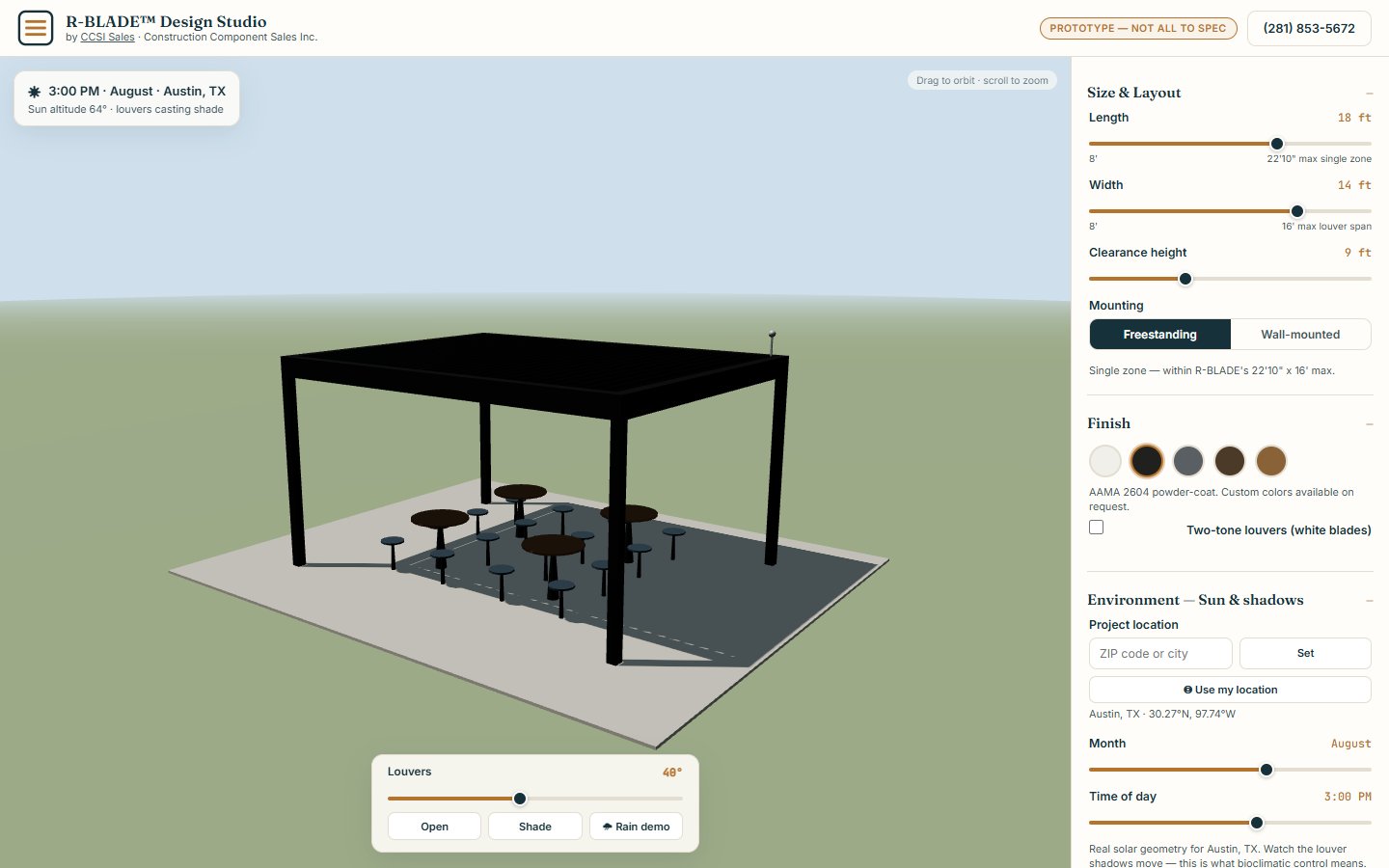
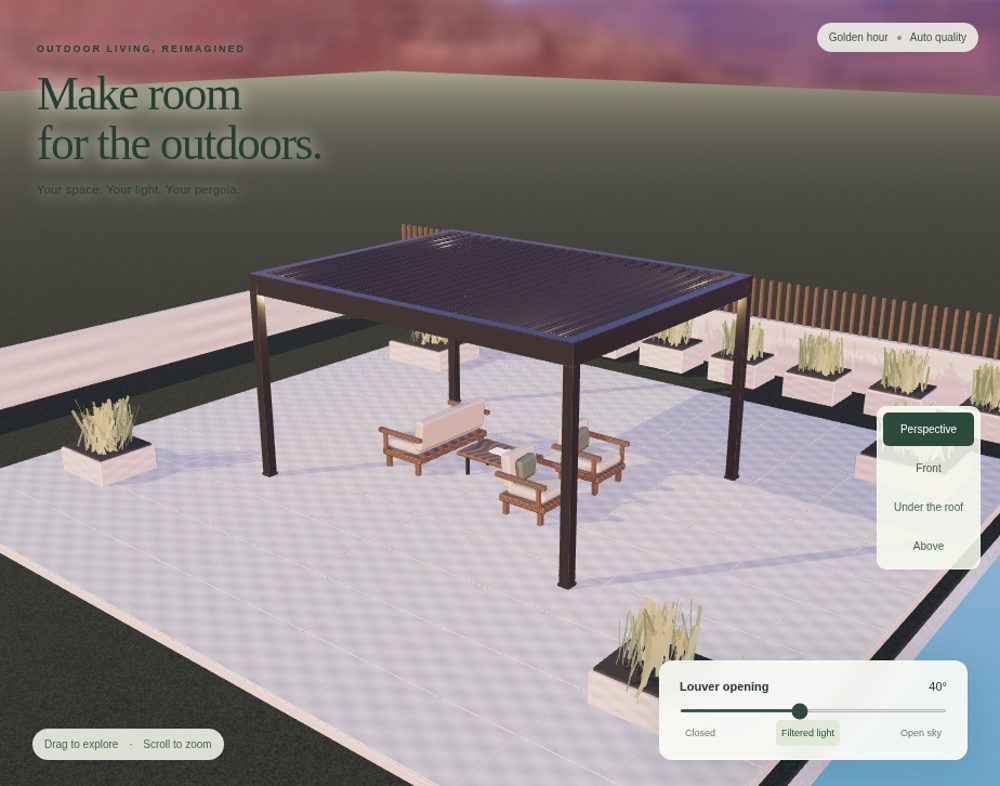
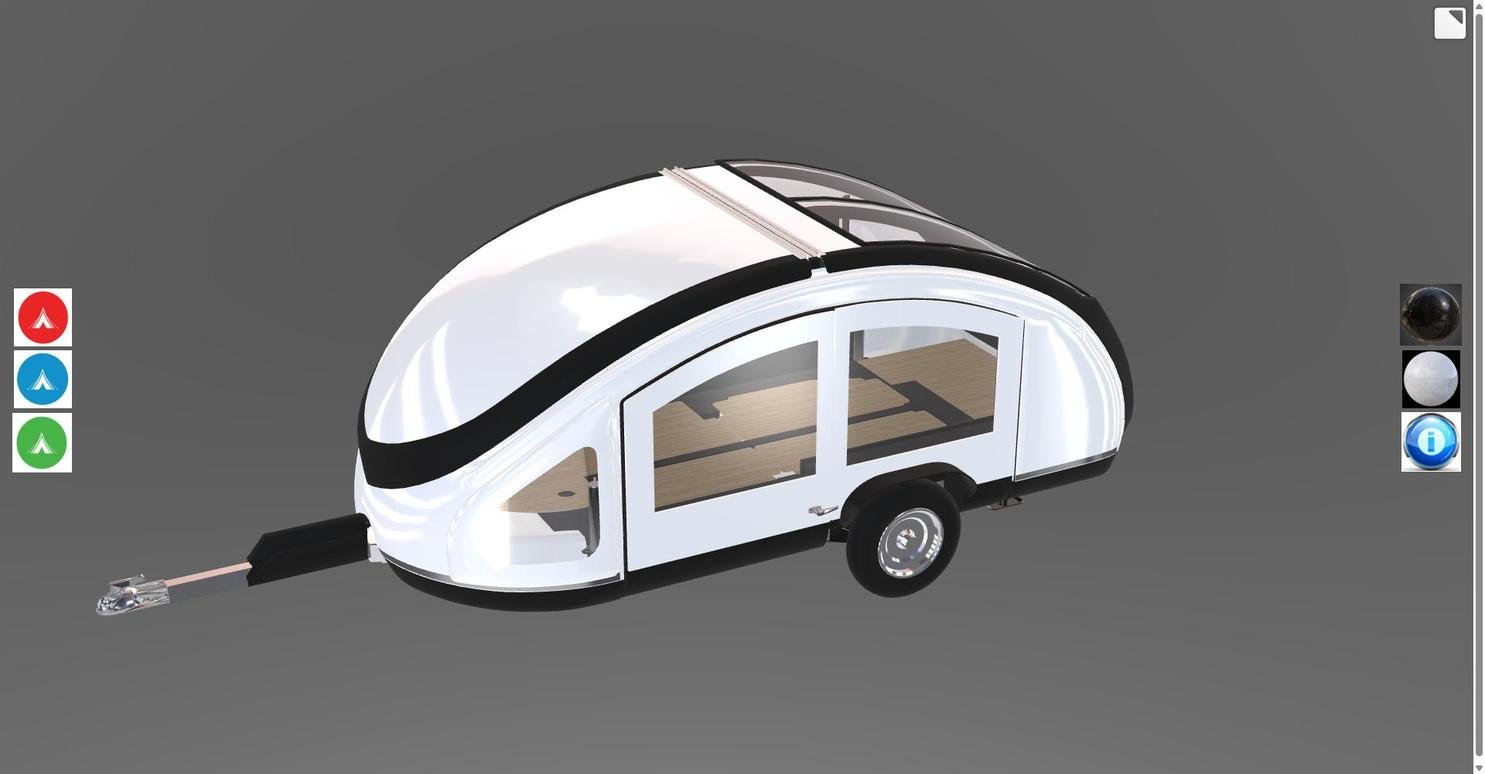
We've also built 3D configurators for other clients that we're contractually not able to show in our marketing or portfolio. References and case-study details for those projects are available privately on request during a scoping call.
Built for real products, not just demos
- Parametric sizing — sliders and inputs that resize the actual 3D geometry live, with real min/max constraints from your engineering specs.
- Materials & finishes — click-to-swap colors, textures, and finish options rendered with real lighting and reflections.
- Environment & context previews — place the product in a realistic scene, simulate sun position by location and time of day, or show it against a background relevant to the buyer.
- Quote & lead capture integration — configurations can feed directly into a quote request, price calculator, or CRM lead form.
- Runs everywhere — desktop and mobile browsers, no app download or plugin required, embeddable directly on your existing website.
Common questions about 3D configurators
What is a 3D product configurator?
A 3D product configurator is an interactive web experience that lets a customer change a product's size, materials, colors, and options and see the result update in real time as a 3D model — directly in the browser, with no app download or plugin. It typically runs on WebGL (often via Three.js) and can feed the final configuration into a quote request or lead form.
Can I see a real example before committing?
Yes. Three live, production configurators are linked directly on this page: the R-BLADE pergola design studio at ccsisales.com/pergola-configurator, an Azenco 3D pergola configurator with a built-in quote form at ccsisales.com/azencopergolaconfigurator, and a teardrop trailer configurator at viral3d.com. Both are running on real client sites today, not demo sandboxes.
Why can't you show configurators built for other clients?
Some clients require exclusivity or confidentiality around custom-built tools as part of their contract, so we can't display or reference those projects in public marketing or a portfolio. We can still speak to that work and provide references privately during a scoping call.
What products are a good fit for a 3D configurator?
Products that are hard to fully explain with photos alone — items with many size, material, or color combinations, custom-built or made-to-order goods, or anything where seeing the exact configuration before buying reduces returns and sales-call friction. Pergolas, trailers, furniture, signage, and industrial equipment are common fits.
Does a 3D configurator work on mobile?
Yes. Every configurator we build runs in standard desktop and mobile browsers with no app download or plugin required, and is embeddable directly on your existing website.
How long does it take to build a custom 3D configurator?
Timeline depends on product complexity — how many configurable options, how detailed the 3D model needs to be, and whether it integrates with a quoting or CRM system. Most projects are scoped individually on a free call once we understand your product and options.